Try it out
For administrators and anyone evaluating Bifröst. Using it at work already? See Using Bifröst.
The best way to see what Bifröst does is to ask it something. A Business Central sandbox with demo data is the right place: nothing you try touches your real company, and a sandbox needs no trial.
The quick path, in a sandbox
Who is needed: a Business Central administrator who can create a sandbox and install apps (SUPER, for outbound HTTP in the setup wizard), and an Entra administrator for the one-time consent.
-
Create a sandbox with demo data in the Business Central admin center, or use one you already have.
-
Run the setup wizard from Bifrost Setup. If your user has SUPER, it already has what Bifröst needs; otherwise give it
BIFROST API ori, andBIFROST GL Post orifor posting previews. See step 2. -
Consent once. Your Entra administrator opens the consent link from wizard step 5. See step 3.
-
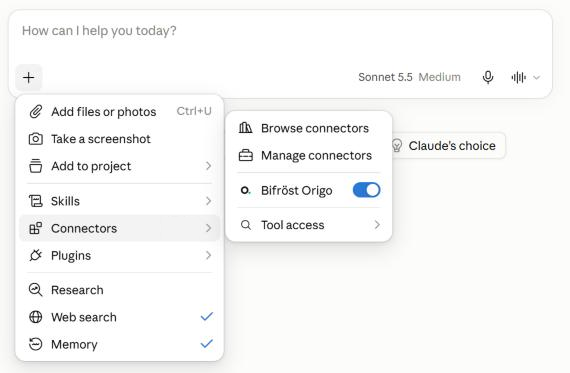
Connect your assistant. In Claude, for example: add Bifröst as a connector, sign in with your work account, and switch it on in a chat. Other assistants work the same way. See Connect your assistant.
-
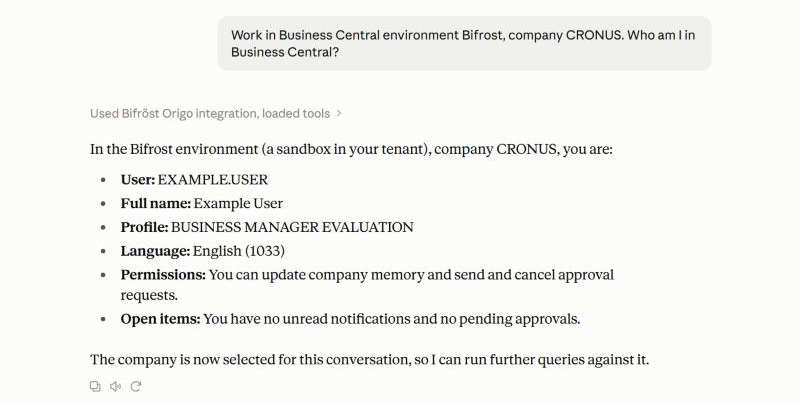
Point it at the sandbox. Paste the Connection Prompt from Bifrost Setup into the chat, so the assistant works in the sandbox company.
-
Ask "Who am I in Business Central?" and allow the assistant to use Bifröst when it asks.
Step 4 of Set it up, restricting fields and setting retention, can wait while you try things on demo data. Do it before you use real data.
What to ask first
Once the first answer works, let it do more. Each level builds on the one before.
| Level | Try asking | What you should see |
|---|---|---|
| Answer | "Which customers have the highest balance due?" | Figures from live data |
| Find out | "Which domains can you work in here?", then "What can you do with sales quotes?" | The domains you have, then what you can do in one of them |
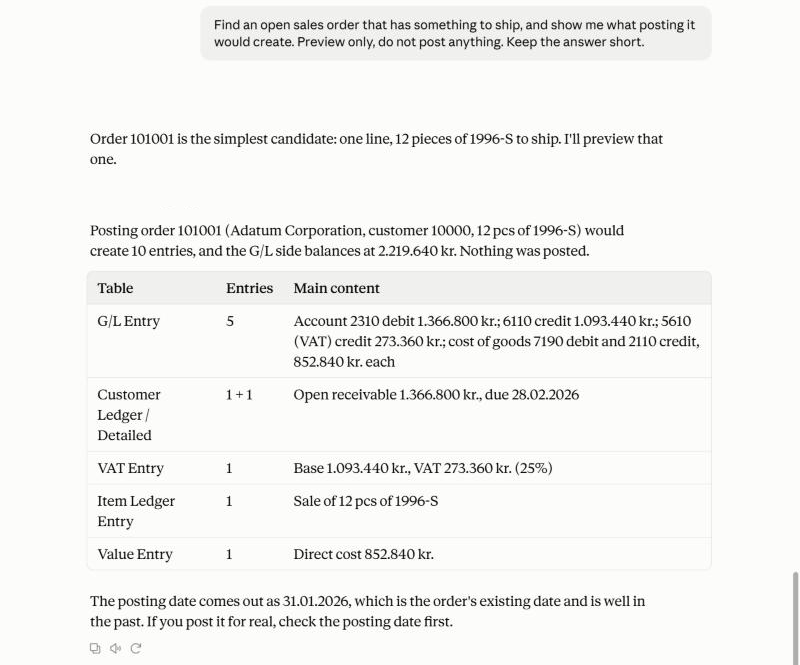
| Act, safely | "Release the newest open sales order and show me what posting it would do." | A released order, and a posting preview. Nothing posted |
| Chain | "Which sales orders are past their shipment date? Group them by customer, with the amount outstanding." | Several operations, one answer |
Then try your own questions: the ones you would normally need a report for.
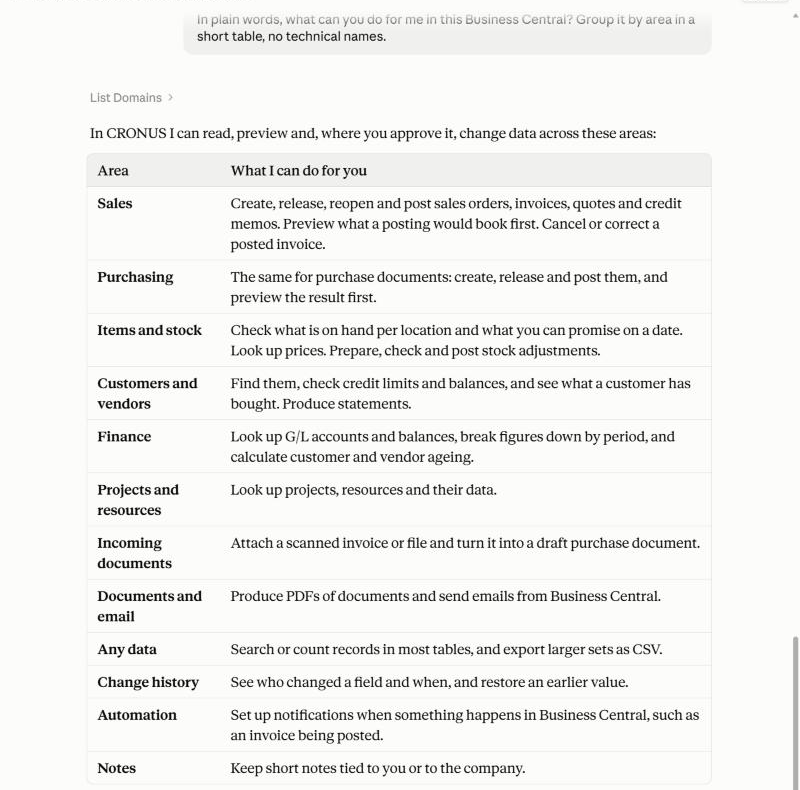
Asking what it can do, in plain words:
A posting preview: what posting a sales order would create, before anything is posted:
What to look at
- Bifrost Messages in Business Central shows every call the assistant made, with the request and the answer. It is the quickest way to see how the assistant worked out your question.
- The record itself. Ask for a link to it and open it in Business Central; see Check it yourself.
- Where it stops. Some tasks have no operation yet, and the assistant should say so. That is the edge of what is installed; What it covers explains it, how apps add more, and who to ask.
- When it says no, the answer says why. Using Bifröst explains the common answers.
When you are ready
Set it up in production with Set it up, and see Price for the license.